
FOR THE PEOPLE COORDINATING CARE
A clearer way
to staff care.
Resident schedules. Nursing coverage.
Open shifts. One connected workspace.
Built around the handoffs that happen every day.
A week, coming together.
| RESIDENT | MON | TUE | WED | THU |
|---|---|---|---|---|
| ACAvery ChenPGY 2 | Ward07:00–15:00 | Day call07:00–15:00 | Clinic07:00–15:00 | RestProtected |
| JPJordan PatelPGY 3 | Clinic07:00–15:00 | Clinic07:00–15:00 | Ward07:00–15:00 | Night19:00–07:00 |
| TBTaylor BrooksPGY 1 | Day call07:00–15:00 | Ward07:00–15:00 | RestProtected | OpenReview gap |
Care changes.
Your plan should keep up.
A rotation moves. A nurse floats. A shift opens.
The work is keeping the people, the plan and the next decision connected.
A complex program.A considered plan.
Bring rotations, duties and people into one draft. Generate a proposal, protect the assignments that matter, and let the coordinator make the final call.
- Rotation and duty templates
- Bounded schedule generation and repair
- Locked duties, visible gaps, explicit publication
A week, coming together.
| RESIDENT | MON | TUE | WED | THU |
|---|---|---|---|---|
| ACAvery ChenPGY 2 | Ward07:00–15:00 | Day call07:00–15:00 | Clinic07:00–15:00 | RestProtected |
| JPJordan PatelPGY 3 | Clinic07:00–15:00 | Clinic07:00–15:00 | Ward07:00–15:00 | Night19:00–07:00 |
| TBTaylor BrooksPGY 1 | Day call07:00–15:00 | Ward07:00–15:00 | RestProtected | OpenReview gap |
A locked clinic stays in place. Inspect proposed changes and remaining gaps, then make an explicit publication decision.
When the day changes,see both sides.
Start with recorded unit demand. Open a self-scheduling window, balance the team, and see what a partial float means for the unit receiving help—and the one giving it.
- Manual demand and phased staff requests
- Unit and qualification checks
- Partial floats with the source gap preserved
Coverage, hour by hour.
The proposed 11:00–15:00 move leaves one nurse to cover in the source ICU. Destination eligibility and that gap remain visible.
An opening.A deliberate handoff.
Give the internal team its window. Check recorded qualifications, make the terms clear, and review the request before it becomes a booking.
- Internal and external release windows
- Recorded qualification and availability checks
- Current terms, consent and approval
The right checks. At the right step.
Recorded qualifications are not independent credential verification.
Recheck the opening, recorded qualifications and accepted terms before approval. This preview books nobody.
The plan is one thing.The work deserves a record.
Carry the shift into clock events, breaks and attested time. Keep revisions and approvals visible, with reports that lead back to the underlying record.
- Clock sessions, breaks and timesheet revisions
- Review, approval and audit history
- Reports and payroll exports; payment simulations
From the shift to the record.
Review the recorded interval, unpaid break and attestation before approving a revision. Financial workflows remain simulations.
One front door.Clear responsibilities.
Give an employer a home for company hiring and a route into staffing. Manage company job posts and Hiring access, with Staffing permissions managed in its own workspace.
- Company-owned job posts and moderation status
- Hiring roles, invitations and company settings
- A connected entrance to Staffing & Scheduling
People, with a place to start.
Hiring
Company jobs. A clear review status. A team with defined access.
Company-managedStaffing & Scheduling
Resident plans, nursing coverage and the work around each shift.
Separate Staffing permissionsCompany team controls govern Hiring access. Staffing roles and revocations are managed separately in the Staffing workspace.
The working
product.
A functional local prototype, with real screens and persisted workflows. These views use synthetic data, so the conversation can focus on how the work fits together.
Actual application screens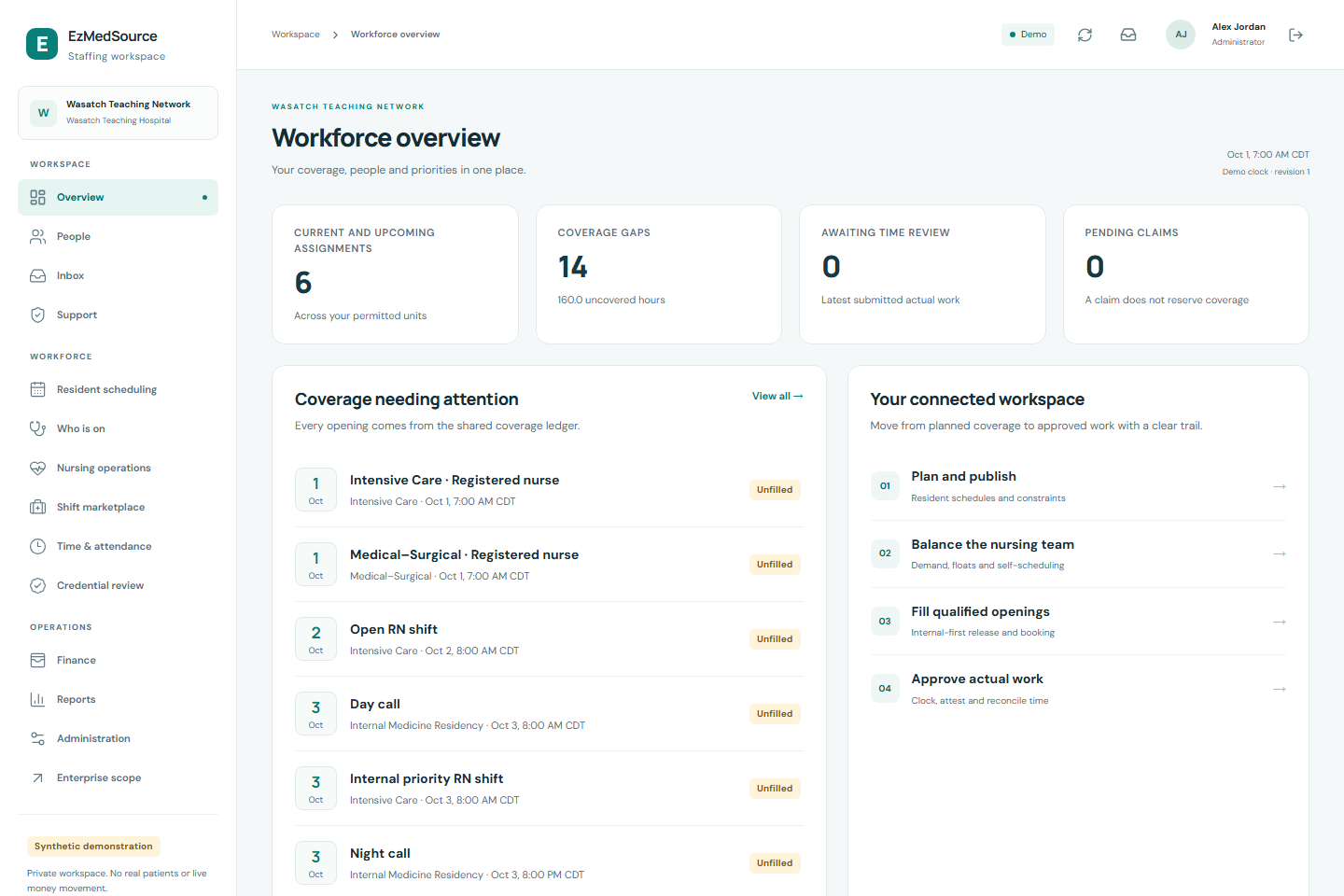
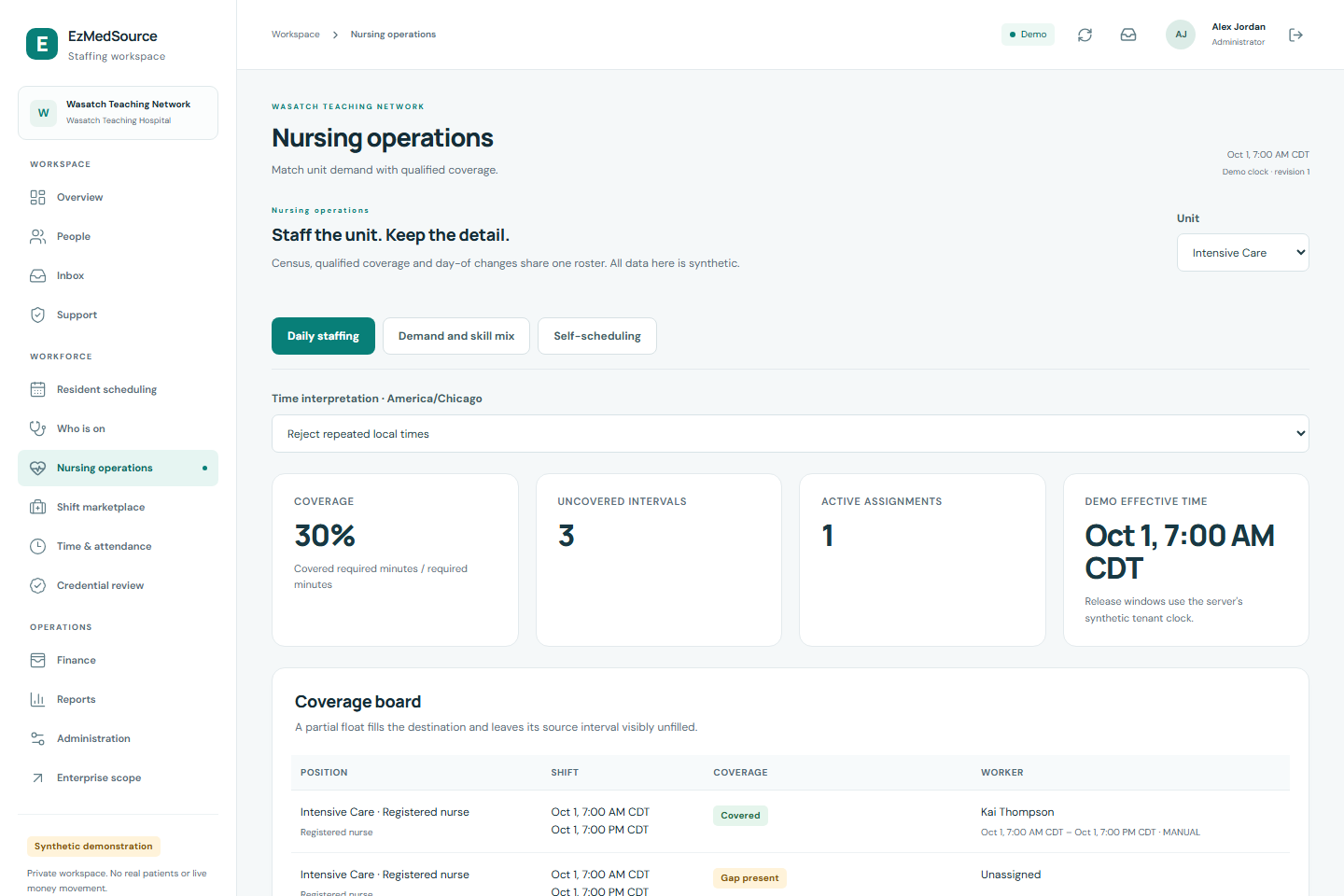
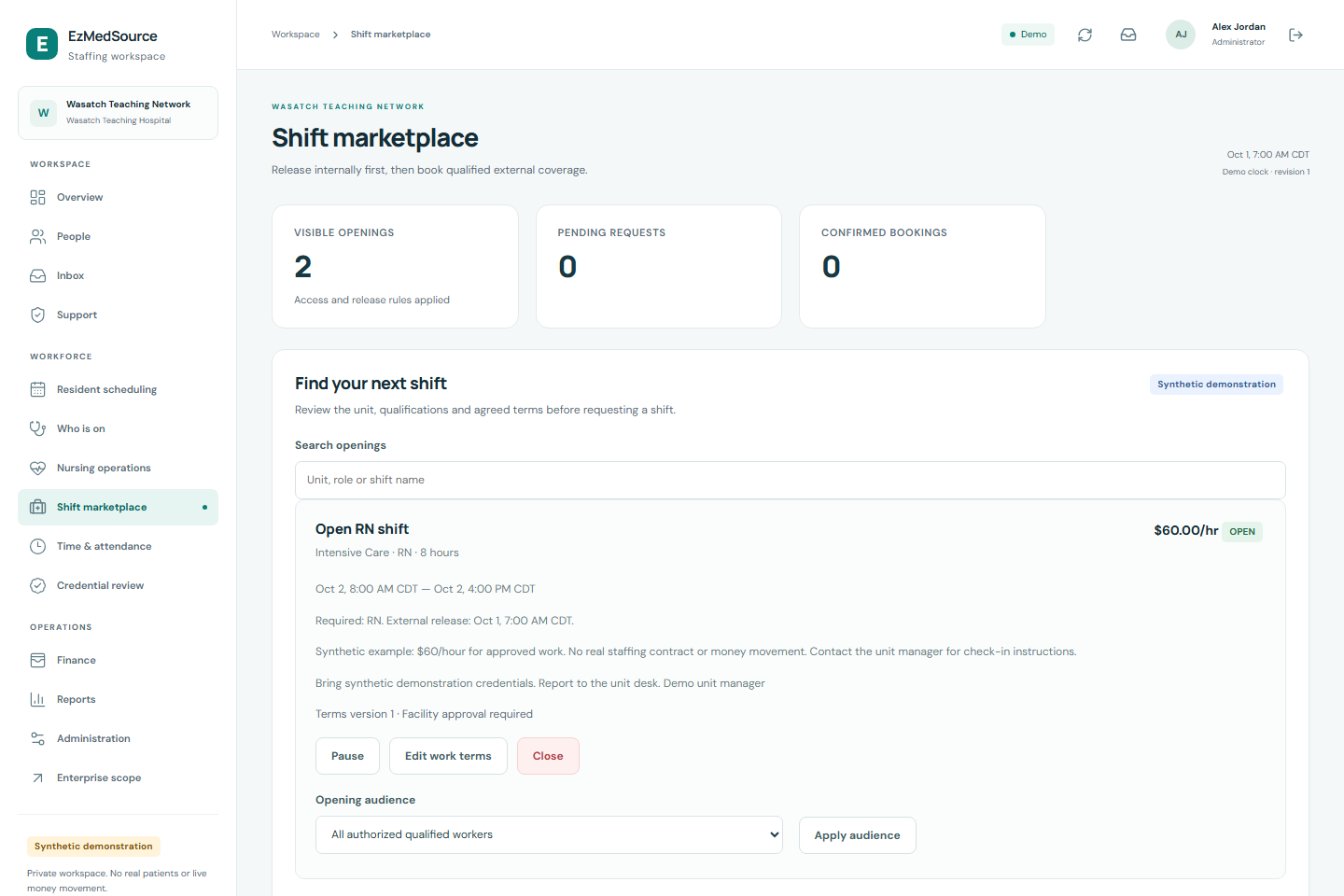
Actual application screens · synthetic demonstration data · local prototype
Plan the work
Draft, generate, inspect and publish a schedule.
Cover the change
Demand, staff requests, partial floats and open shifts.
Keep the record
Time review, approval history, reports and exports.
Ready for a conversation.
Built to be evaluated.
The prototype makes the workflow concrete. A pilot brings the institution’s rules, systems and people into the picture.
What is working today?
Local scheduling, coverage, booking, actual-time review and employer hiring workflows. The tour is public; protected workspaces need authorized access.
What needs a real pilot?
Institutional policies, production readiness and authorized hospital, HR, payroll or credential-verification integrations. This prototype does not certify clinical staffing suitability or accreditation compliance.
What is simulated?
The examples are synthetic. Qualification decisions are manual reviews, not independent credential verification. Financial and payout workflows are simulations; no real money moves.
Let’s compare
notes.
If someone shared this page with you, reply to them to arrange a walkthrough. We’d like to hear what your team is building—and where collaboration could help.
Public tour: no login needed · Walkthroughs by arrangement